


Printer Accessories for Printers & Label Makers
Find suitable accessories and compatible replacement products for printers and label makers. Discover a wide range of ink cartridges, toners, labels, label tape cassettes, power supplies and other printer accessories for numerous brands and models at Electropapa.




The Right Printer Accessories for Every Printer Type
Printer accessories are more in demand than ever before. The world is increasingly adapting to the growing focus on working from home. You have probably noticed that there are all kinds of printer accessories, ranging from ink cartridges and chip resetters to printer batteries. With so many different products beyond the basics, it's easy to lose track of everything – so it's perfectly normal to feel a little lost when looking for accessories for your printer.
That's why we at Electropapa strive to explain the range of printer accessories as clearly and comprehensively as possible. Whether you're looking for thermal transfer film or urgently need a new printer toner, you're sure to find the right product at Electropapa.
Printer Ribbons and Their Properties
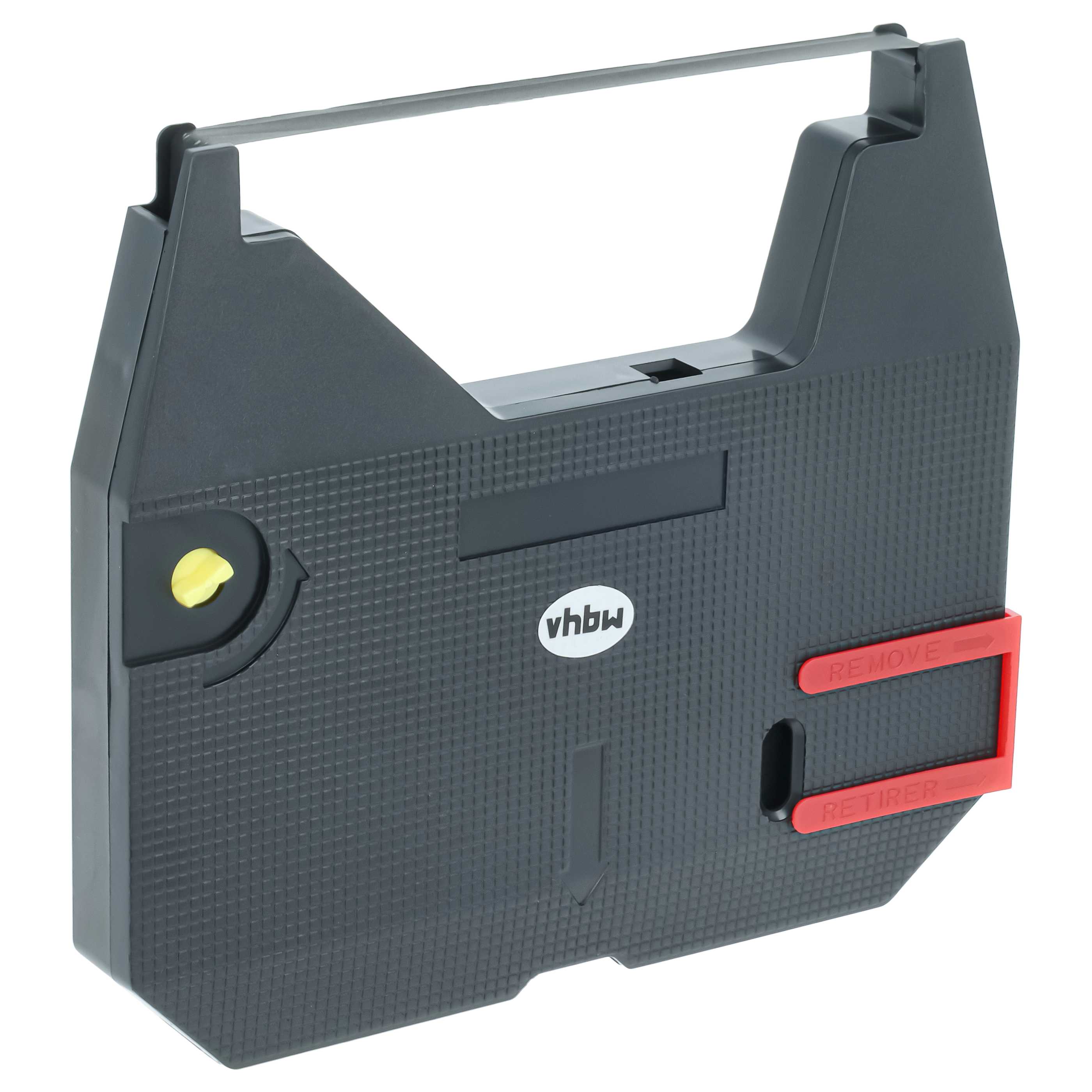
If you have a printer with fax functionality at home or a thermal printer at work, the ribbon will play an essential role, as devices such as fax printers or thermal printers cannot operate without ribbons. These ribbons are mainly used in devices such as office machines, cash registers and, of course, fax printers. The textile carrier material that will later absorb the ink is often made of nylon. Since ribbons are ink rolls, they are naturally available in different colours.
If a professional appearance is important to you, black is the perfect colour for the ribbons in your fax printer. Black ribbons produce elegant printouts and are therefore often used in restaurants and established supermarkets. Since black is a classic colour, office users and private individuals can hardly go wrong with it. Ribbons are also available as wax, resin and wax-resin ribbons. Wax ribbons are the classic example of ribbons that are ideally suited to paper receipts and therefore to businesses such as supermarkets or restaurants. This type of ink roll is also the most affordable, although it is not particularly abrasion-resistant – which is generally not a problem for the usual applications of wax ribbons.
If you're printing on surfaces such as polyester, polyvinyl chloride, coated paper or polypropylene, the wax-resin ribbon, a combination of the two ribbon types, would be a suitable choice. This type of ribbon is considerably more abrasion-resistant than a wax ribbon, but its price is therefore in the mid-range and higher than that of a wax ribbon. The highest-quality ribbon, however, is the so-called resin ribbon. It offers the greatest abrasion resistance because it does not contain one of the key components of the other two ribbons – wax. This also makes it the most expensive ink roll. Furthermore, the properties of resin make it not only the highest-quality but also the most opaque ribbon, and it can even print on very smooth surfaces.
You should always pay attention not only to the type of ribbon but also to proper storage. Since ink ribbons are textile ribbons soaked in ink, it is important to store them in cool, dark places with consistent humidity. If you attempt to reuse a ribbon that has already dried out by soaking it in refill ink, this may damage your fax printer or thermal printer, for example – and the warranty may often become void due to improper use. Because of all these properties, ribbons are extremely important for so-called thermal transfer printing. In this process, the unprinted thermal transfer rolls are printed using the printer's printheads. Individual points on the printhead are heated, causing the ink to separate from the areas of the ribbon in contact with them and transfer onto the surface being printed. These printheads allow extremely precise printing, depending on how many of them are present. As already mentioned, it is advisable to use ribbons made from textile materials, which can be used multiple times thanks to their properties.
In contrast, film strips, often found as carbon ribbons, can only be used once. Ribbons owe their advantage of repeated use mainly to the fact that they are continuous-loop ribbons. The carrier material is not completely consumed, which makes this desirable property possible in the first place.
If, on the other hand, you use a toner printer or laser printer, you have a wider choice because this type of printer serves a much larger market – both private and professional users. With laser printers, it is particularly important to keep an eye on the printer toner level. If you have certain types of printer labels, you can get started straight away by taking advantage of how toner printers work – after all, this printing process is also known to be beneficial for label printers in professional settings. So let's look at the operating principle of a toner printer.
How Does a Laser Printer Work?
A laser printer works by directing a laser beam onto a rotating drum unit, giving it a negative charge. This negative charge at individual points on the drum causes oppositely charged (positively charged) particles to adhere to them. The material to be printed – usually printer paper – is then fed into the printer and given a negative charge, just like the drum unit. Afterwards, once the drum unit reaches the paper to be printed, the printer toner adheres to the paper due to its positive charge. The entire printing process is now almost complete.
You've probably noticed that freshly printed paper is still a little warm when you take it out of your printer. This is the result of the final stage, in which the paper is heated using a heating element so that the printer toner, which was initially attached to the drum unit, can adhere permanently to the printed material. Unfortunately, even with this advanced process, errors can occur, such as toner residue sticking to the drum unit. This can make printouts unusable, especially when materials require particularly precise printing.
The waste toner container exists precisely for such cases. It ensures that remaining toner is removed from the drum unit of your laser printer using individual scrapers and collected in the waste toner container. This prevents unwanted contamination of the printout. Handling is also simple: once the container is full, it can easily be emptied or replaced if necessary. Many laser printers indicate when it is time to attend to the waste toner container. If this notification is ignored and the container is neither replaced nor emptied, dirt and toner residue can accumulate inside the printer.
So why are laser printers so popular? Above all, the laser printing process makes printers with toner one thing in particular: fast. For home use, they usually manage around 30 to 40 pages per minute. Office printers can achieve even higher performance – an impressive 50 pages per minute. With such high figures, it's no wonder that printer toner is more in demand than it has been for a long time, both among private and business users. Label printers are also needed in professional environments.
Compared with the printer cartridges of an inkjet printer, the toner in a laser printer can print considerably more pages. Up to 3,000 pages can be printed with its toner before new printer toner is needed. Furthermore, printers that use toner do not have the same problem of smudged printouts as inkjet printers, and text appears much sharper. This is why the higher price of a toner cartridge (usually around €60) compared with ink cartridges is worthwhile in most cases. Due to their efficiency, toner cartridges need to be replaced much less frequently. However, when we compare colour prints from inkjet printers and toner printers, we find that toner-based prints generally cannot match those produced by inkjet printers. When it comes to photo print quality, the inkjet printer has a clear advantage.
The Inkjet Printer – Familiar and Popular
As with the toner printer mentioned above, it is useful to understand how an inkjet printer works. Unlike toner printers, inkjet printers are the most popular type of printer in private households. Ink cartridges are especially important for these devices – and most printers use several cartridges, each containing a different colour. The printer's printhead moves sideways across the paper as it passes through, depositing tiny droplets.
There are ink cartridges for printers in various colours that can be mixed during the printing process. Many printers use a standard set of different ink cartridges based on the CMYK colour model. These colours are Cyan, Magenta, Yellow and Key, meaning black. The droplets deposited by the printhead are placed on the material with extremely high precision, mainly thanks to their microscopic size. Because of the way inkjet printers are designed, you will need to replace ink cartridges much more frequently than with a laser printer.
Inkjet cartridges generally last for only 300 to 500 pages, which may seem very little compared with toner printers. This is often a major criticism of inkjet printers, as their maintenance costs are considerably higher with regular use than those of toner printers. However, inkjet printers are much better suited to photo printing.
If you use portable printers with rechargeable batteries, you may occasionally need to replace the battery. Fortunately, our online shop also offers more than enough options in this category. As you can see, there are quite a few things to consider when choosing printer accessories.
That's exactly why we're here: at Electropapa, our online shop offers everything relevant to the topics discussed at affordable prices. With over 16 years of experience, we're confident we can help you. And if you have any questions, don't hesitate to use the comment section below, the contact form or our email address. We look forward to helping you with our expertise!