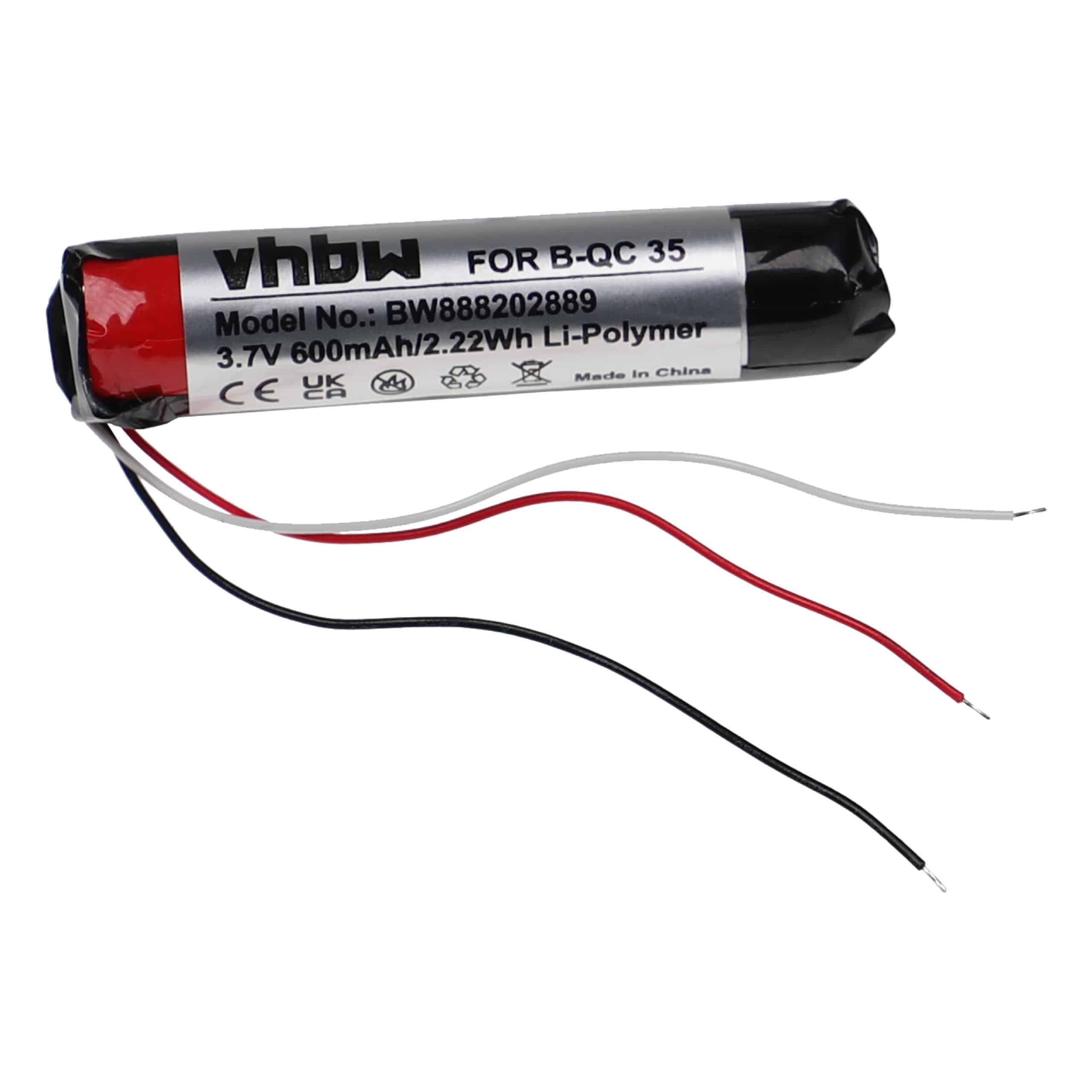
Discover high-quality replacement batteries for Sony: radios, baby monitors, radios and wireless headsets.
🔎Can’t find what you’re looking for?
Use the search above or the filters below to quickly narrow down the options and find the best match for your appliance.
If you're looking for high quality replacement batteries for your Sony audio equipment, then Electropapa is the place for you. We offer high-quality replacement radio batteries for Sony and many other batteries. Browse our diverse range now and order a compatible battery today!
You can find the right replacement battery for your Sony audio device by comparing your device’s model number with the information in the compatibility list of the desired battery. This number is usually on the old audio device battery, on the nameplate or in the user manual. Also pay attention to voltage, capacity and form factor so that the battery fits both technically and mechanically.
The correct audio device battery for your Sony speaker depends on the device’s exact model designation. You will usually find this on the underside, on the nameplate or in the user manual.
Yes, in many cases you can use an audio device battery with higher capacity if voltage and connector are identical. The higher capacity extends operating time without affecting the device. It is important that dimensions and plug type also fit.
You can usually replace the audio device battery in your Sony headphones yourself. For over-ear and on-ear headphones, remove the ear pads and open the housing cover. For wireless headphones, the battery can be replaced by opening the cover. Bluetooth and noise-cancelling headphones often have permanently installed batteries that require special tools for replacement. In-ear or true-wireless headphones are usually glued, so replacement is recommended only by a professional.
You can extend your Sony headset battery’s service life by charging it regularly, but avoiding permanent full charge and deep discharge. If you do not use the headset for a longer period, partially discharge the audio device battery and switch the device off. This helps preserve capacity in the long term and keep performance stable.
Functional cookies are absolutely necessary for the functionality of the web shop. These cookies assign a unique random ID to your browser so that your unhindered shopping experience can be guaranteed over several page views.
PayPal:
The cookie is used for payment processing via PayPal.
Convert Experiences Tracking:
Convert is using the cookies _conv_v, _conv_s, _conv_r and _conv_check_cookies to store user-specific information of the visitor, the sessions and the referral data.
Google Ads:
Saves the user's consent status for Google Ads on the current domain.
Google Pay payments
Google Pay payments
Cookie-Configuration-Hash
cookie
cookie
cookie
cookie
Cloudflare Turnstile
Cookie configuration:
The cookie stores which cookies were offered at the time of the cookie consent, so that a renewed consent can be obtained when the cookie configuration changes.
Amazon Pay:
The cookie is used for payment transactions via Amazon.
Google Analytics:
Saves the user's consent status for Google Analytics on the current domain.
Currency Identifier
Activated cookies:
Saves which cookies have already been accepted by the user for the first time.
Google Tag Manager debug mode:
Allows to run the Google Tag Manager in debug mode.
Session:
The session cookie stores your shopping data over several page views and is therefore essential for your personal shopping experience.
CAPTCHA integration:
This cookie is used to distinguish between humans and bots. This is beneficial for the website, in order to make valid reports on the use of their website.
Google Analytics:
Google Analytics is used for traffic analysis of the website. Thereby statistics about website activities can be created and read out.
Adyen payments:
Required cookies to process payments using Adyen
Timezone:
The cookie is used to provide the system with the user's current time zone.
Customer Group Identifier
Google conversion tracking:
The Google Conversion Tracking Cookie is used to track conversions on the website effectively. This information is used by the site operator to target Google AdWords campaigns.
Cache handling:
The cookie is used to differentiate the cache for different scenarios and page users.
Google Tag Manager:
Saves the user's consent status for the Google Tag Manager on the current domain.
Cookie settings:
The cookie is used to store the cookie settings of the site user over several browser sessions.
Information on origin:
The cookie stores the referrer and the first page visited by the user for further use.
Tracking cookies help the shop operator to collect and evaluate information about the behaviour of users on their website.
Pinterest:
Used by Pinterest to track the usage of services, Necessary for the integration of Pinterest on the website.
Microsoft Clarity:
Clarity is a tool that tracks how people use the website.
Marketing cookies are used to display advertisements on the website in a targeted and individualized manner across multiple page views and browser sessions.
Google Advertising
Google conversion tracking:
The Google Conversion Tracking Cookie is used to track conversions on the website effectively. This information is used by the site operator to target Google AdWords campaigns.
Klaviyo:
Allow to identify the user when not logged in!
ProfitMetrics:
Collects data from individual visits to the website to compile statistical reports. This data can be used to generate leads for marketing purposes.
Microsoft Ads:
This cookie is used by Microsoft to gather anonymous information on how visitors are using the website.
ProfitMetrics:
This cookie is used to collect tracking data from the browser, including the Google client ID, Facebook browser and click ID, and the last time this data changed.
Meta Ads:
The cookie is used by Meta to display personalized advertising offers based on user behavior to users of websites that integrate
Meta
services.
Userlike Messenger:
Required in order to use this website's live chat functionality.
Userlike Messenger
Vimeo video
Wishlist:
This cookie is a system cookie that enables the storage of customer preferences.
These cookies are used to collect and process information about the use of the website by users, in order to subsequently personalise advertising and/or content in other contexts.
Trbo on-site personalization:
The cookie is used for onsite personalization of the site content and for site analysis for optimization measures.
Your privacy is important to us!
We also use various types of cookies including essential cookies which ensure everything functions correctly when you visit our online shop. Using statistics and analysis cookies we can recognise you on our site, allowing us to measure the success of campaigns and shop optimisations. In addition, we use marketing cookies that enable us to display content to you in a more personalised way, not just on our own websites. You can manage your consent at any time by clicking on Cookies at the bottom of each of our web pages with effect for the future.